Articles ·
A chat bot for university admissions: what it should do and what it must not
During admissions, the office answers the same questions dozens of times a day: what does it cost, what are the entry requirements, is there a dormitory. Applicants open a messenger every day and the university website a few times per cycle. A bot brings the answers to where applicants already are.
What the bot should do
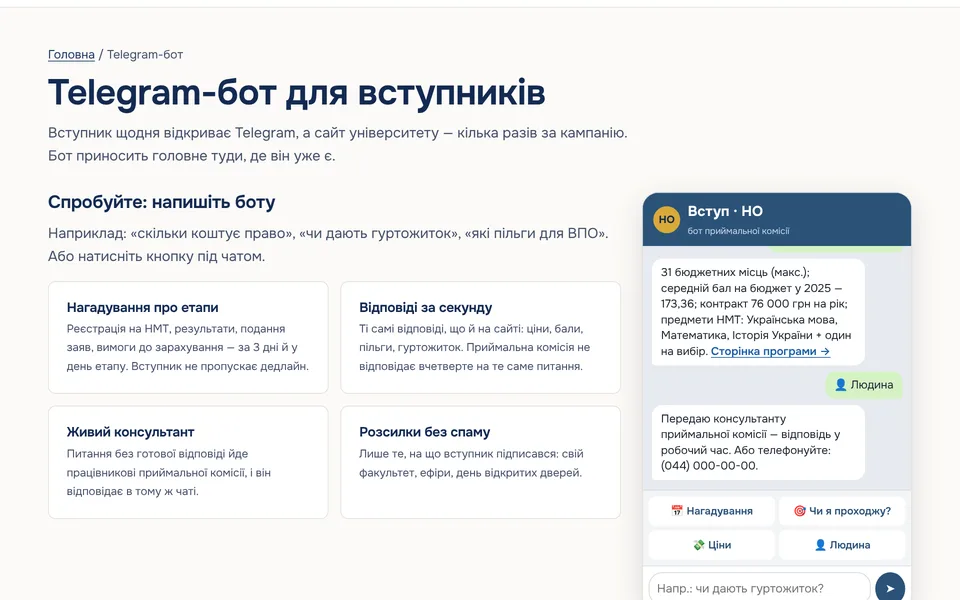
- Answer questions in the applicant’s own words. Someone types “how much is law”, not a menu path. The bot finds the answer in the same data as the website: fees, places, entry requirements.
- Remind applicants of deadlines. A missed deadline is the most expensive mistake an applicant can make.
- Hand difficult questions to a person. If there is no ready answer, the question goes to an admissions adviser who replies in the same chat.
- Send only what people signed up for: their faculty, webinars, open days.
What the bot must not do
- Make things up. The bot answers only from verified university data. If there is no answer, it says so and passes the question to a person.
- Collect documents or unnecessary data. Passports and medical certificates do not belong in a chat; that is what the applicant portal is for.
- Replace the official rules. The bot explains in plain words and links to the admission rules; decisions stay with the admissions office.
- Stay silent at night without explanation. If advisers reply only in office hours, the bot says so straight away.
Personal data
Even a messenger display name is personal data, so in the EU and the UK the bot falls under GDPR. In practice: collect the minimum (usually a name and the topic), explain in the first message who processes the data and why, and do not keep conversations longer than needed to answer. Messages pass through the messenger’s servers, so the bot should neither ask for nor send anything sensitive.
One set of answers for the website and the bot
The most common mistake is keeping bot answers separate from the website. The fee is updated on the site, but the bot still quotes last year’s figure. The bot should read from the same data as the programme pages, so the admissions team updates everything in one place in the CMS.
Where to start
- List the 20 questions the admissions office hears most often and check that the website answers each one.
- Decide who answers the questions the bot passes on, and when.
- Write the bot’s first message: who it is, what it can do, what data it processes and why.
- Launch it well before the application window opens, so applicants have time to subscribe to reminders.
OLBO builds university websites together with an admissions bot that answers from the same data. See Websites for universities. Bots for other institutions and businesses: Telegram bots.