Articles ·
What applicants need from a university website — and what the law requires
Most applicants compare universities on a phone, often late in the evening. In a few minutes they want to know three things: can I get in, how much will it cost, and what do I do next. Here is what that means for a university website.
A quick test of six large universities
On 17 October 2026 we checked the home pages of six large universities in Ukraine with Google PageSpeed Insights in mobile mode. We do not name them: the point is the typical picture, not blame.
- University A70
- University B59
- University C56
- University D52
- University E40
- University F27
Google’s green zone starts at 90. None of the six got there.
- Google guideline2.5 s
- University A8.4 s
- University C10.2 s
- University D13.8 s
- University E14.6 s
- University B15.1 s
- University F29.9 s
Scale up to 30 seconds. Even the fastest of the six is three times slower than the guideline.
- University B95
- University F92
- University C87
- University D75
- University E66
- University A41
Same letters as above. The fastest site (A) has the worst accessibility, and the slowest (F) one of the best: speed and accessibility have to be done together.
It is worth running the same test on your own website: open PageSpeed Insights, paste the address of your home page and of one programme page, and look at the mobile result.
What applicants look for
- Entry requirements: grades, tests and language level for each programme.
- Fees: per year and for the whole programme, on the programme page rather than in a PDF.
- Intakes and deadlines.
- What students learn and where graduates work.
- Next steps and a contact: who to write to, and how quickly they answer.
- For international students: visas, arrival, housing, scholarships.
Most of this usually exists somewhere on the site, but scattered across PDFs and different departments’ pages. Applicants do not put the puzzle together — they go where the answer is clear the first time.
A programme finder instead of a list
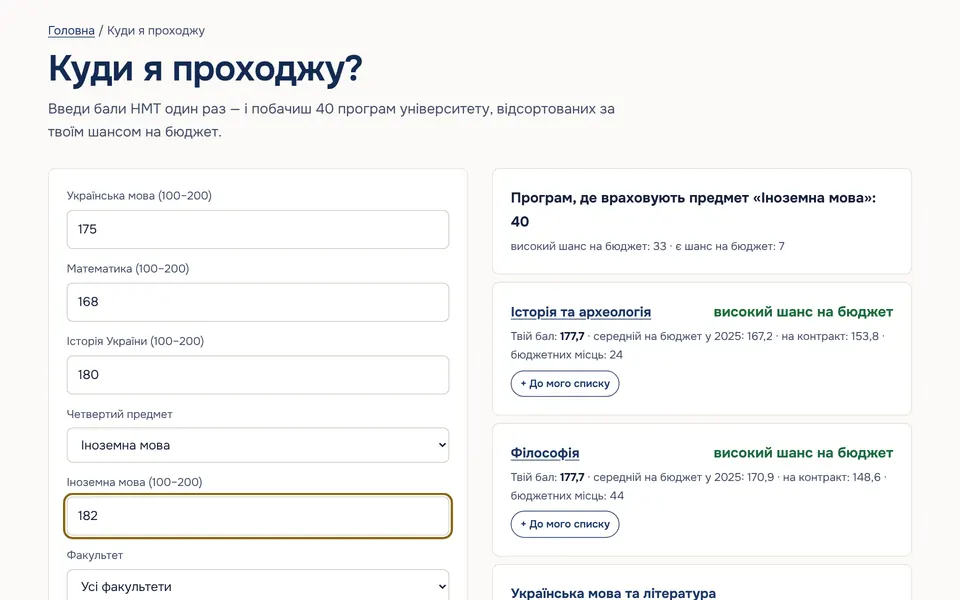
The most useful feature for applicants is a programme finder: filter by subject, level and language, compare a few programmes side by side and keep a shortlist to share with family. In our demo for Ukrainian universities, applicants enter their national test scores once and see their chances for every programme.
Accessibility is a legal duty
In the EU, the Web Accessibility Directive (2016/2102) requires public sector bodies, including public universities, to make their websites accessible and to publish an accessibility statement. In the UK, the Public Sector Bodies Accessibility Regulations 2018 set the same duty for universities and colleges. The technical standard behind both is EN 301 549, which refers to WCAG 2.1 AA.
In practice that means keyboard navigation, text that can be enlarged without breaking the page, enough contrast, alt text, clear forms and an honest statement of what is not accessible yet. For related reading, see Accessibility fines in Europe.
Analytics for leadership
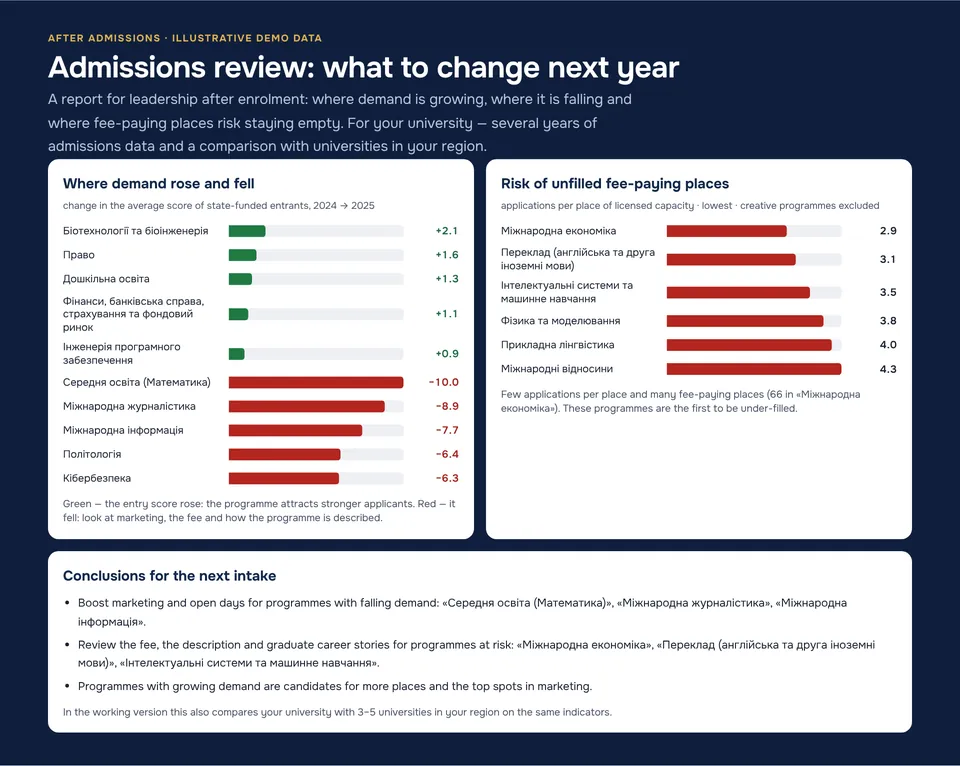
The same data that feeds programme pages can show leadership how admissions are going: applications by faculty, competition per place, intake against targets. After the cycle, a short summary shows which programmes were under-filled and how demand changed against last year — material for planning the next intake and marketing.
A website the university owns
A common problem is dependence on a single developer: changing a fee or a deadline means writing to them and waiting. A good university website has a CMS with roles, so admissions, faculties and the press office update their own pages, and the rights to the design and content belong to the university.
Where to start this week
- Test your home page and one programme page in PageSpeed Insights on mobile.
- Follow an applicant’s path from the home page to the fees and entry requirements of one programme. How many clicks, and did you have to open a PDF?
- Use the site with a keyboard only and zoom the text to 200%. Does anything disappear or overlap?
- Check that your accessibility statement exists, is up to date and says how to report a problem.
This article is general information, not legal advice.
At OLBO we build fast, accessible university websites and run accessibility audits — see websites for universities and colleges, or check your own site with the free Website Checker.